Color Gradients
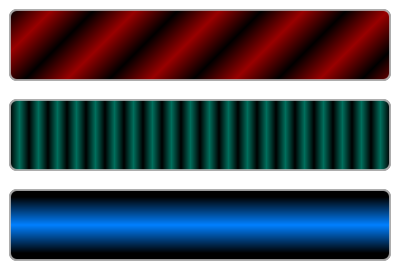
Color gradients are smooth blendings of different colors, specified by color stops along a control vector. An application example is shown in the optical flow tutorial.
Base class for |
|
Gradient definition for linear color blending along a line. |
|
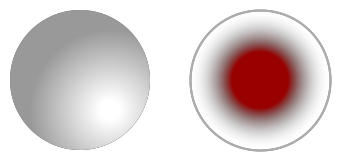
Radial gradient between two circles. |
Gradient Base Class
- class viren2d.ColorGradient
Base class for
LinearColorGradientandRadialColorGradient.This class should not be instantiated directly, refer to the derived classes instead.
Corresponding C++ API:
viren2d::ColorGradient.
Linear Gradient
- class viren2d.LinearColorGradient
Gradient definition for linear color blending along a line.
Represents a linear gradient along the control vector (used to add color stops) from a line’s start point to its end point. After initialization, the color stops have to be added via
add_color_stop()oradd_intensity_stop().Corresponding C++ API:
viren2d::LinearColorGradient.Example
>>> grad = viren2d.LinearColorGradient((0, 0), (200, 200))
>>> grad.add_color_stop(0.1, 'crimson')
>>> grad.add_color_stop(0.5, 'teal-green')
>>> grad.add_color_stop(0.9, 'navy-blue')
Methods:
Initializes the gradient for linear blending along the line.
Adds a color stop to the gradient.
Adds an intensity/grayscale stop to the gradient.
Returns true if this color gradient can be rendered, i.e. if it has at least 2 color stops.
Renders this color gradient as a double-precision mask of the specified size.
Renders this color gradient onto an image of the specified size.
- __init__(self: viren2d.LinearColorGradient, pt1: viren2d.Vec2d, pt2: viren2d.Vec2d) None
Initializes the gradient for linear blending along the line.
- add_color_stop(self: viren2d.ColorGradient, offset: float, color: viren2d.Color) bool
Adds a color stop to the gradient.
- Parameters:
offset – The offset \(\in [0,1]\) is the location along the gradient’s control vector.
color – The
Colorat the specified offset.
- Returns:
True if the color stop was added, false if the inputs were invalid (for example, out-of-range) which will be detailed in a logged warning message.
Example
>>> grad.add_color_stop(0.1, 'crimson')
>>> grad.add_color_stop(0.9, 'navy-blue')
- add_intensity_stop(self: viren2d.ColorGradient, offset: float, intensity: float, alpha: float = 1.0) bool
Adds an intensity/grayscale stop to the gradient.
- Parameters:
offset – The offset \(\in [0,1]\) is the location along the gradient’s control vector.
color – The intensity/grayscale value \(\in [0,1]\) at the specified offset.
alpha – The opacity \(\in [0,1]\) at this stop.
- Returns:
True if the intensity stop was added, false if the inputs were invalid (for example, out-of-range) which will be detailed in a logged warning message.
Example
>>> grad.add_intensity_stop(0.1, 0.0)
>>> grad.add_intensity_stop(0.9, 1.0)
- is_valid(self: viren2d.ColorGradient) bool
Returns true if this color gradient can be rendered, i.e. if it has at least 2 color stops.
- mask(self: viren2d.ColorGradient, width: int, height: int, channels: int, fill_color: viren2d.Color = viren2d.Color(red=0, green=0, blue=0, alpha=0)) viren2d.ImageBuffer
Renders this color gradient as a double-precision mask of the specified size.
Corresponding C++ API:
viren2d::ColorGradient::Mask.- Parameters:
width – Width of the output mask in pixels.
height – Height of the output mask in pixels.
channels – Number of output channels. Must be either 1, 3, or 4. If a single-channel mask is requested, only the red component of the color stops will contribute to the output mask.
fill_color – The
Colorused to initialize the output mask before rendering the gradient.
- Returns:
An
ImageBufferof typenumpy.float64with values \(\in [0, 1]\) andchannelslayers/channels.
Example
>>> grad = viren2d.LinearColorGradient((0, 0), (200, 200))
>>> grad.add_color_stop(0.1, 1.0)
>>> grad.add_color_stop(0.5, 0.5)
>>> grad.add_color_stop(0.9, 1.0)
>>> mask = grad.mask(
>>>     width=200, height=200, channels=1, fill_color="black!0")
- visualization(self: viren2d.ColorGradient, width: int, height: int, channels: int = 3, fill_color: viren2d.Color = viren2d.Color(red=1, green=1, blue=1, alpha=1)) viren2d.ImageBuffer
Renders this color gradient onto an image of the specified size.
Corresponding C++ API:
viren2d::ColorGradient::Visualization.- Parameters:
width – Width of the output image in pixels.
height – Height of the output image in pixels.
channels – Number of output channels, must be either 3 or 4.
fill_color – The
Colorused to initialize the output image before rendering the gradient.
- Returns:
A 3- or 4-channel
ImageBufferof typenumpy.uint8.
Example
>>> grad = viren2d.LinearColorGradient((0, 0), (200, 200))
>>> grad.add_color_stop(0.1, 'crimson!80')
>>> grad.add_color_stop(0.5, 'teal-green!60')
>>> grad.add_color_stop(0.9, 'navy-blue!80')
>>> vis = grad.visualization(
>>>     width=200, height=200, channels=3, fill_color="white")
Radial Gradient
- class viren2d.RadialColorGradient
Radial gradient between two circles.
Represents a radial gradient between two circles. The control vector (for adding color stops) is from any point on \(\text{circle}_1\) to the corresponding point on \(\text{circle}_2\). After initialization, the color stops have to be added via
add_color_stop()oradd_intensity_stop().Corresponding C++ API:
viren2d::RadialColorGradient.Example
>>> grad = viren2d.RadialColorGradient(
>>>     (50, 50), 10, (50, 50), 40)
>>> grad.add_color_stop(0.0, 'freesia')
>>> grad.add_color_stop(0.9, 'navy-blue')
Methods:
Initializes the radial gradient.
Adds a color stop to the gradient.
Adds an intensity/grayscale stop to the gradient.
Returns true if this color gradient can be rendered, i.e. if it has at least 2 color stops.
Renders this color gradient as a double-precision mask of the specified size.
Renders this color gradient onto an image of the specified size.
- __init__(self: viren2d.RadialColorGradient, center1: viren2d.Vec2d, radius1: float, center2: viren2d.Vec2d, radius2: float) None
Initializes the radial gradient.
- add_color_stop(self: viren2d.ColorGradient, offset: float, color: viren2d.Color) bool
Adds a color stop to the gradient.
- Parameters:
offset – The offset \(\in [0,1]\) is the location along the gradient’s control vector.
color – The
Colorat the specified offset.
- Returns:
True if the color stop was added, false if the inputs were invalid (for example, out-of-range) which will be detailed in a logged warning message.
Example
>>> grad.add_color_stop(0.1, 'crimson')
>>> grad.add_color_stop(0.9, 'navy-blue')
- add_intensity_stop(self: viren2d.ColorGradient, offset: float, intensity: float, alpha: float = 1.0) bool
Adds an intensity/grayscale stop to the gradient.
- Parameters:
offset – The offset \(\in [0,1]\) is the location along the gradient’s control vector.
color – The intensity/grayscale value \(\in [0,1]\) at the specified offset.
alpha – The opacity \(\in [0,1]\) at this stop.
- Returns:
True if the intensity stop was added, false if the inputs were invalid (for example, out-of-range) which will be detailed in a logged warning message.
Example
>>> grad.add_intensity_stop(0.1, 0.0)
>>> grad.add_intensity_stop(0.9, 1.0)
- is_valid(self: viren2d.ColorGradient) bool
Returns true if this color gradient can be rendered, i.e. if it has at least 2 color stops.
- mask(self: viren2d.ColorGradient, width: int, height: int, channels: int, fill_color: viren2d.Color = viren2d.Color(red=0, green=0, blue=0, alpha=0)) viren2d.ImageBuffer
Renders this color gradient as a double-precision mask of the specified size.
Corresponding C++ API:
viren2d::ColorGradient::Mask.- Parameters:
width – Width of the output mask in pixels.
height – Height of the output mask in pixels.
channels – Number of output channels. Must be either 1, 3, or 4. If a single-channel mask is requested, only the red component of the color stops will contribute to the output mask.
fill_color – The
Colorused to initialize the output mask before rendering the gradient.
- Returns:
An
ImageBufferof typenumpy.float64with values \(\in [0, 1]\) andchannelslayers/channels.
Example
>>> grad = viren2d.LinearColorGradient((0, 0), (200, 200))
>>> grad.add_color_stop(0.1, 1.0)
>>> grad.add_color_stop(0.5, 0.5)
>>> grad.add_color_stop(0.9, 1.0)
>>> mask = grad.mask(
>>>     width=200, height=200, channels=1, fill_color="black!0")
- visualization(self: viren2d.ColorGradient, width: int, height: int, channels: int = 3, fill_color: viren2d.Color = viren2d.Color(red=1, green=1, blue=1, alpha=1)) viren2d.ImageBuffer
Renders this color gradient onto an image of the specified size.
Corresponding C++ API:
viren2d::ColorGradient::Visualization.- Parameters:
width – Width of the output image in pixels.
height – Height of the output image in pixels.
channels – Number of output channels, must be either 3 or 4.
fill_color – The
Colorused to initialize the output image before rendering the gradient.
- Returns:
A 3- or 4-channel
ImageBufferof typenumpy.uint8.
Example
>>> grad = viren2d.LinearColorGradient((0, 0), (200, 200))
>>> grad.add_color_stop(0.1, 'crimson!80')
>>> grad.add_color_stop(0.5, 'teal-green!60')
>>> grad.add_color_stop(0.9, 'navy-blue!80')
>>> vis = grad.visualization(
>>>     width=200, height=200, channels=3, fill_color="white")